
1/4
Go to feature details: Expertise and Support
How can we assist you today?
Go to feature details: Expertise and Support
How can we assist you today?
Go to feature details: Expertise and Support
How can we assist you today?
Go to feature details: Expertise and Support
How can we assist you today?
Features

Vast Product Offer
Forex
- Over 140 currency pairs
- Spot, Forwards, Swaps (even and uneven), Time Options (Flexible Forwards)
- Block trading with pre-trade allocation
- Limit-order entry, supporting single and multi-strategies
Commodities (available only in certain regions)
- Over 55 underlyings
- Base and precious metals (Spot and Forward), agricultural products and carbon commodities
- Commodity orders
Money Market (available only in certain regions)
- Fixed term deposits
- Floating products and market operations to come in 2026!
Fast, Simple Pricing and Trading
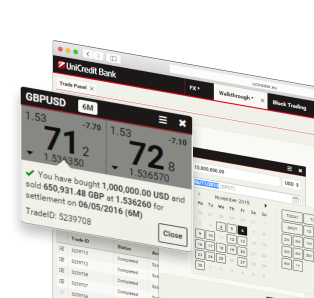
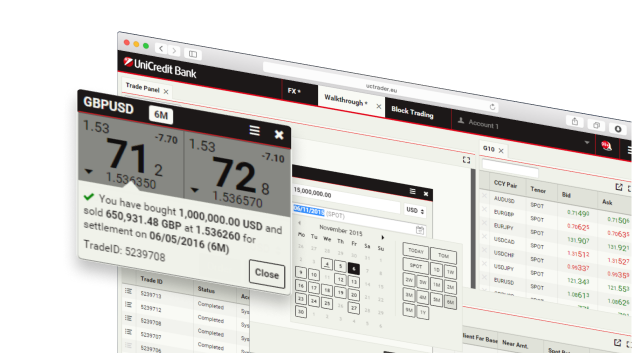
- Live and comprehensive pricing, request for stream (RfS) and request for quotation (RfQ)
- Competitive and tight spreads
- One-click immediate execution on tile
- Instant digital trade confirmations and post-trade functionality
- Monitor rates in custom and predefined watchlist
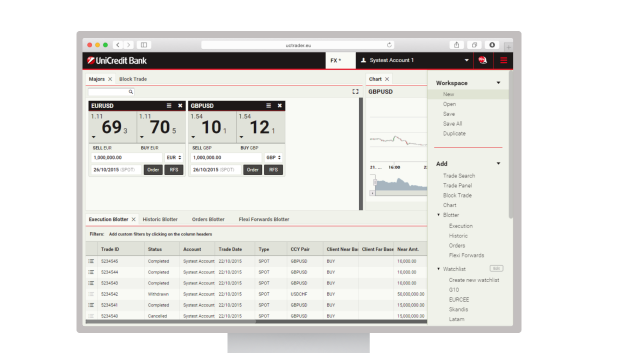
Customisable Desktop
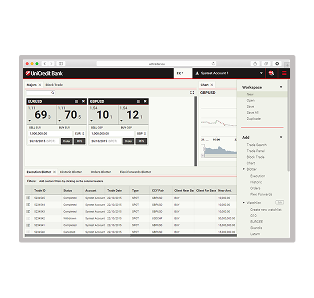
- State-of-the-art, modern and web interface
- Create and save customisable layouts with drag-and-drop functionality
- Fully integrated charting functionality with zoom, pan and internal adjustment
- Configurable blotters with easy sort, filter and export functionality
- Trade search tool to incorporate live search results into your layouts
How can we assist you today?
Expertise and Support
- Dedicated support teams on hand to help you
- Access the experience of our eSales teams from the convenience
- Safe and secure trading in our supported environment
- Leverage our unique regional product insight with full support from eSales
Support - Contacts
Our dedicated team is here to assist you with any concerns or issues you may encounter. Feel free to reach out using the contact details provided. Select the destination country to check the available phone contacts.UniCredit Bank GmbH – Commodities Corporate SalesMail: commsales.de@unicredit.eu
Getting started
A quick-start guide to help you access UCTrader, set up authentication, and begin using key features with ease.- Launch https://uctrader.unicreditgroup.eu/uctrader.
- Enter your username and click Next
- If you use the UniCredit Authenticator app:
- Follow the OTP setup instructions from your Welcome Email (If you didn’t receive it, please contact your UniCredit sales representative)
- For future logins, enter your username, password, and the passcode from the Authenticator app
- Alternatively, scan the QR code shown on the screen using the app and enter the validation code
- If you log in via SMS and Email:
- Click on "Forgot Password?"
- You will receive a passcode via SMS and Email
- Enter the passcode and click Login
- Set a new password (at least 8 characters, with 1 letter, 1 number, and 1 special character)
FAQs
Our FAQ section covers the most common questions about our services, products, and support. Here, you’ll find clear and concise information to help you quickly resolve doubts and get the most out of your experience with us.UCTrader is UniCredit’s FX trading platform and is available to all customers of the Corporate and Investment Bank (Client Solutions) globally, including corporate clients of UniCredit Bank GmbH, UniCredit SpA, UniCredit Hungary, UniCredit Bank Austria, UniCredit Romania, UniCredit Croatia, UniCredit Serbia, UniCredit Bulgaria and UniCredit Czech Republic and Slovakia.
Please refer to your local Sales team; you can find the contacts under ‘Support – Contacts’
No. UCTrader is a web-based application, so all you need to do is ensure that your hardware meets the minimum system requirements and that you are using a supported web browser for best performance.
UCTrader supports the latest versions of Mozilla Firefox, Google Chrome and Microsoft Edge. If you are unsure if your browser is supported, please contact your UniCredit sales representative.
UCTrader is very secure. Each user account is secured using two factor authentication, requiring both a PIN or password, and a one-time passcode. Theft of a token or knowledge of a PIN/password alone would not be enough to gain unauthorised access to an account.
User accounts are further protected by an automatic account-lock after three unsuccessful login attempts.
All data in transit between web browsers and UCTrader is encrypted to protect confidentiality.
Please refer to your local Sales team; you can find the contacts under ‘Support – Contacts’